

Canva Master Course 2026
-
 By
coursezy
By
coursezy
- 11/Sep/2025
- 84 Students
Course Description
What’s New in This 2025 Edition?
-
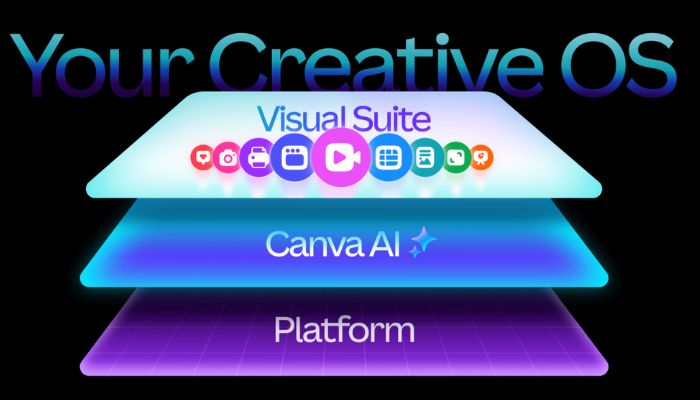
Brand-new sections covering Canva’s most recent AI tools: Canva AI, Canva Code, VEO3, Canva Sheets & Docs
-
Updated lectures reflecting Canva's redesigned UI/UX
-
Refined scripts with less fluff and faster wins, based on real feedback from 13,000+ reviews
-
10 practical projects + downloadable templates, slides, cheat sheets, and AI prompt packs
-
Taught by two official Canva Verified Experts. Not just instructors, but creators who live and breathe Canva
What You’ll Learn
-
Navigate the newest Canva interface like a pro
-
Use Canva’s AI tools to create images, videos, code snippets, and websites
-
Design real-world content for social media, business, and marketing
-
Create scroll-stopping visuals, presentations, videos, and brand kits
-
Build a consistent visual brand from scratch
-
Launch a professional website, without touching code
-
Save time using Canva's Magic Studio features and AI-powered workflows
-
Stay current with monthly updates as Canva evolves
This Course Is For You If…
-
You’re a beginner wanting to master Canva, fast
-
You’re a creator, entrepreneur, or small business owner who needs stunning visual content
-
You want real hands-on practice (not just theory)
-
You want to save time, boost creativity, and grow your brand
-
You’ve tried Canva but want to go from casual user to confident pro
About Your Instructors
We’re Ronny & Diana from Team RonDi.
We're both Canva Verified Experts, a badge held by fewer than 50 people worldwide.
Ronny worked at Canva HQ in Sydney for 2 years. Together, we’ve published over 700 Canva tutorials on YouTube (35M+ views) and trained thousands of creators, freelancers, and business owners.
This isn’t just theory, we’ve used Canva to build our entire business.
Why Students Love This Course
-
Fun, engaging content that never feels boring with humor, personality, and high-energy visuals
-
Trusted instructors who are passionate Canva Experts and business owners using Canva daily
-
Inspires creativity and confidence, even if you're brand new to design
-
Clear, beginner-friendly structure with step-by-step teaching and recap resources
-
Packed with deep, practical knowledge and updated regularly to stay ahead of Canva's latest tools
Tags
"after effects tutorials in tamil"
"after effects course tamil"
"tamil font for after effects"
"after effects meaning in tamil"
"after effects tamil"
"after effects tutorial in tamil pdf"
"after effects tutorial tamil explanation"
"adobe after effects tamil"
"text after effects tamil"
"day after tamil meaning"
"side effects meaning in tamil"
Course Curriculum

coursezy
Reviews
Rs999.00
Course includes:
-
 Level
Level
-
Beginner
Expert
-
 Duration
4h 10m
Duration
4h 10m
-
 Lessons
0
Lessons
0
-
 Quizzes
0
Quizzes
0
-
 Certifications
Yes
Certifications
Yes
-
 Language
-
தமிழ்